Skip to content

Inside EtchedyEvery tool, none of the noise

The system behind every pattern.

Six tools built from real client work: find any pattern in seconds, keep what you build, switch brands in one click, file work by client, import whole websites and put your name on the panel.

Six tools

One problem each. One fix each.

Scroll through the tools, or jump straight to one.

01Find

Visual browser. Find any pattern in seconds.

“Where did I put that hero from three projects ago?”

Search, filter and preview the whole library without leaving Etch. Open the Etchedy panel, type two letters, and the pattern you need is right there.

pricingSearch
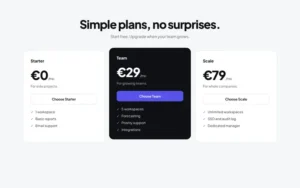
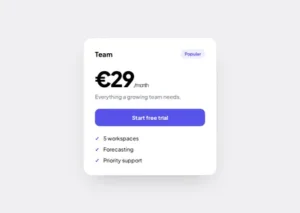
Pricing, three plans previewPricing card preview

2 of 753 match

  • Open the panel Etchedy sits inside the Etch editor, one click from your canvas.
  • Search or filter Search by name or tag, filter by type and category, switch between tree and grid.
  • Preview and paste Open a live preview or Quick View, copy the pattern and paste it onto the page.
02Keep

Save to Etchedy. Build it once. Reuse it forever.

“I've built this exact card five times.”

One click saves any block you design in Etch into your personal library, right beside ours, ready for every project after this one.

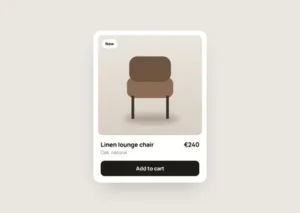
Product card with swatchesSave to Etchedy
My library4142
  • Select a block Any section, component or element you built on the canvas.
  • Click Save Name it and pick a folder.
  • Reuse anywhere It sits in your library, ready for every project after this one.
03Style

Brand kits. Change the brand, not the blocks.

“Another project, another day of brand setup.”

Pick a brand kit, preview it and apply it to your ACSS settings in one click. Every pattern on the site restyles, and you can undo or reset whenever you like.

AaBook a visit
NeutralStudioMono
  • Pick a kit Browse the brand kits by mood, colour and type pairing.
  • Apply it One click writes the kit to your ACSS settings and every pattern follows.
  • Undo or reset Changed your mind? Undo the last kit or go back to your original settings.
04Organise

Folders and tags. A library that stays tidy.

“My library is a junk drawer.”

Folders per client and searchable tags keep hundreds of patterns in order, so the right one is where you expect it, even three years in.

  • Client A
    • Hero variants4
    • Pricing2
  • Client B
  • Studio kit
darksaasv4approved
  • Make folders One per client, project or style.
  • Save into them Pick the folder when you save a block, or move it later.
  • Find it fast Search and filters narrow hundreds of blocks to the three you need.
05Launch

Site import. A whole website in a few clicks.

“Every new client starts from a blank page.”

Pick a ready-to-use website and the import wizard sets it up for you: pages, menus, your logo and brand kit, content and custom fields, plus the plugins it needs. New websites land every week.

  1. 01Pages and menusImported
  2. 02Logo, name and kitDone
  3. 03Content and fieldsDone
  4. 04Forms, shop, SEODone
  • Pick a website Browse the Sites library and preview every page first.
  • Follow the wizard Add your logo and name, choose the content, and map custom fields to Etch or ACF.
  • Launch The wizard imports everything and installs the plugins the site needs.

06Brand

White label. Your studio's name on the panel.

“My clients shouldn't see my toolbox.”

Replace the Etchedy name and mark in the editor with your own studio branding, and decide which users can browse, import and save.

EtchedyYour Studio
  • Add your brand Set your studio name and logo once in the settings.
  • Choose access Pick which roles can browse the library, import sites and save blocks.
  • Hand over Clients see a polished tool made by you.

Why it's different

Etchedy vs another library.

Most libraries sell you a pile of sections. Etchedy gives you a system you keep building with.

EtchedyGeneric library
Patterns wired to your tokensNo
Native Etch structure, no shortcodesNo
Your own blocks beside the libraryNo
Brand kits you can switch in one clickNo
Ready-to-use websites you import in one goNo
New patterns every weekSometimes
Custom builds, exclusive to youNo
A one-time template packNo

Everything Etchedy does

22 features across five areas. Every Pro plan includes all of them, from 5 sites to unlimited.

Library6

  • Layouts, components, elements and templates in one panelPro
  • New patterns every weekPro
  • Search, filters, tree and grid viewsPro
  • Live previews and Quick View before you insertPro
  • One-click copy, paste straight into EtchPro
  • Free packs, no sign-up neededFree

Sites4

  • Ready-to-use websites, new ones every weekPro
  • Import wizard: pages, menus, brand and content in one goPro
  • Installs the plugins a site needs: forms, shop, SEOPro
  • Custom fields mapped to Etch or ACF on importPro

Your library4

  • Save your own components and layoutsPro
  • Folders for every client and projectPro
  • Import and export component JSON, paste or uploadPro
  • Edit once, reuse on every sitePro

Brand3

  • Brand kits that restyle every patternPro
  • Apply, undo or reset a kit in one clickPro
  • Built on your ACSS tokensPro

Account and support5

  • White label: your name and logo in the builderPro
  • User access: choose who can browse, import and savePro
  • Automatic updates with your licencePro
  • Vote on the roadmapPro
  • Email support from the teamPro
Missing something?Request a feature or a custom blockAbout 60% of requests ship
Compare plans

Questions

Before you ask.

Anything else? Write to the team, we reply within a day.