


 Compare Features LandingLanding page, 1 page
 Flowline SaaS LandingLanding page, 1 page
 Prismo Creative AgencyCreative, 1 page
 Velour Car DetailingLanding page, 1 page
Freelancers
Give a blog or portfolio real search and filters without a second plugin.
Inside Etchedy
Unlimited sites for €299, paid once. Every future pattern included.
96 of 100 seats left
Claim a lifetime deal400
new patterns a month, shipped every week.
Most of what we build starts as a customer request. See what just landed, what's in production and what's coming next.
How we shipView the roadmapFeature 08Filter
Turn any list on your site into one visitors can filter: a blog, a shop, a directory. A six-step wizard builds it with a live preview of your real content, and you paste it into Etch as normal components.






The problem
“Another filter plugin, another shortcode I cannot style.”
The fix
Filters built as real Etch components, styled by your ACSS tokens and editable like everything else on the page.
Sound familiar?
The four things that make filters painful on most WordPress sites, and what Facet Pro does instead.
Most filter plugins drop a shortcode on the page. You cannot see it, select it or style it in Etch.
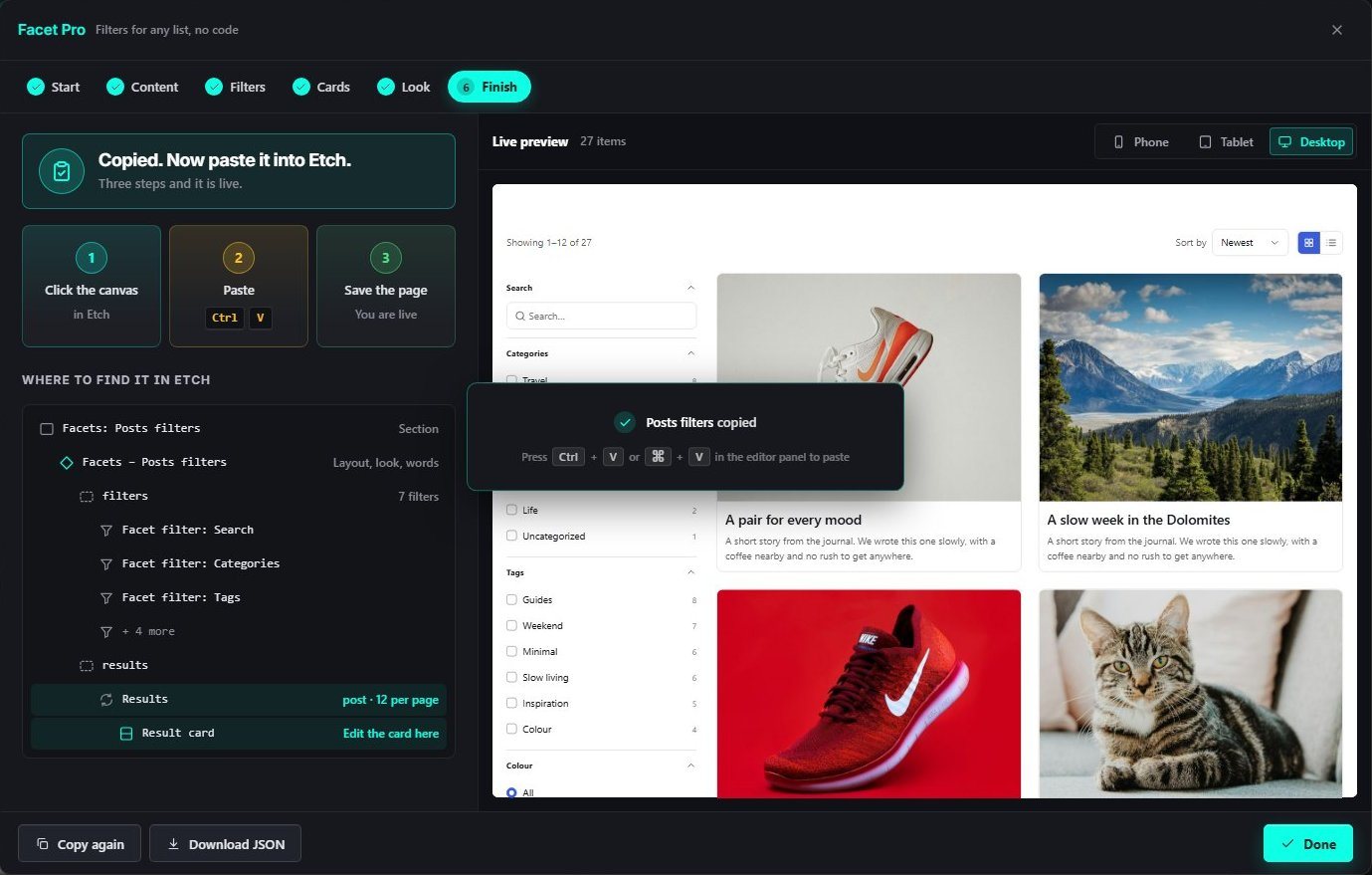
A section with a filters slot and a results loop. Every filter is its own component, and the card is one component.
Plugin CSS brings its own fonts, colours and spacing, and the afternoon goes on overriding it.
Colours, fonts and spacing follow your Automatic.css tokens. Pick a one-click look, or restyle any part in Etch.
Query arguments, field keys, index settings: filtering is usually a job for someone who writes code.
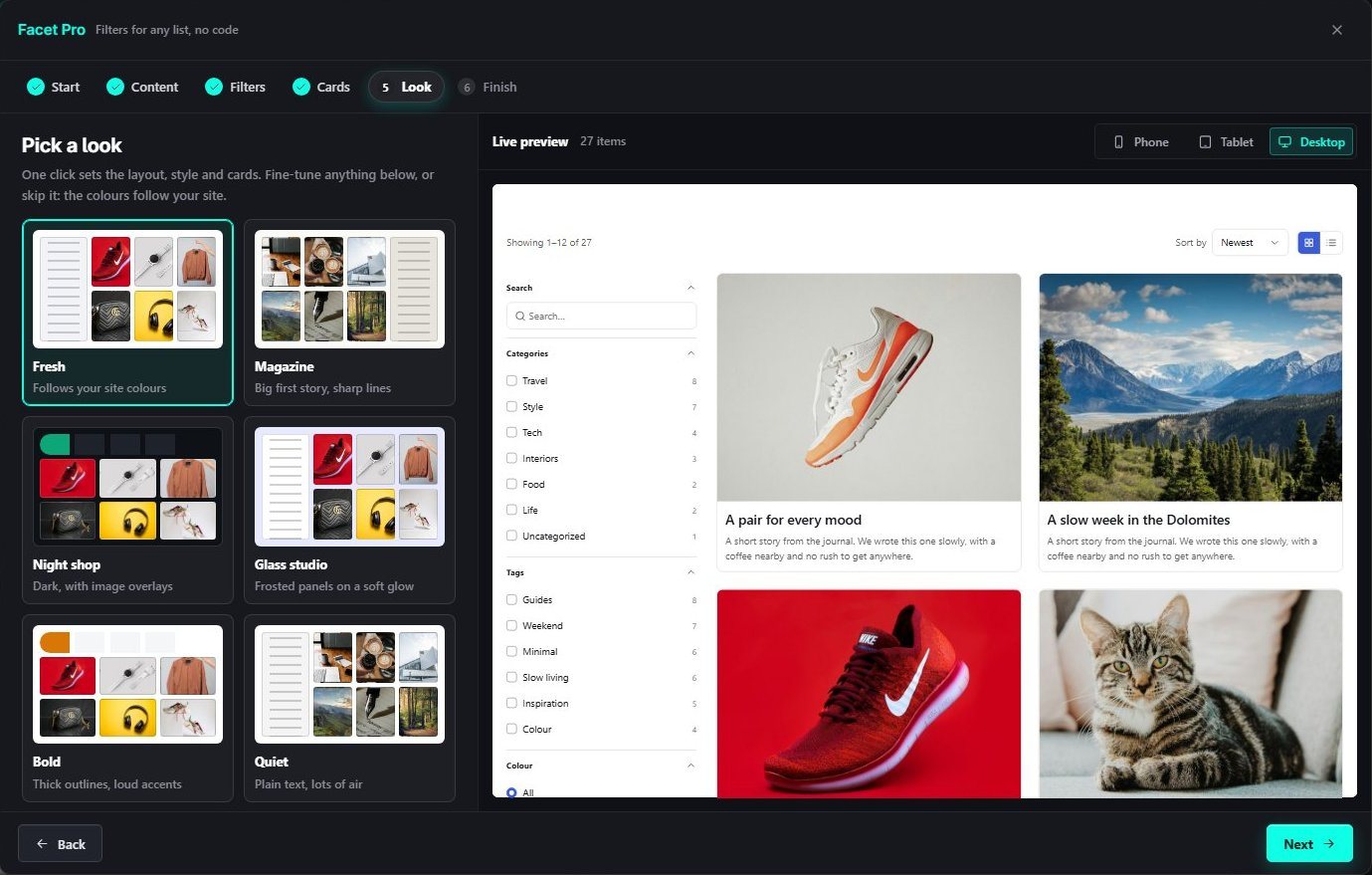
Start, Content, Filters, Cards, Look and Finish. Etchedy detects your categories, tags and custom fields and suggests the filters.
Every click reloads the page, and a filtered view has no address to send to anyone.
Results, counts and chips update in place. Each filtered page has its own link, and it works without JavaScript too.
What it does
Open Facet Pro from the Etchedy panel. Pick the content, the filters, the cards and the look while a live preview shows your real posts. Then paste it into Etch: a section with one component per filter, a results loop and one card component.
Real screens
Real screens from the Facet Pro wizard and from a live page. Nothing mocked up.
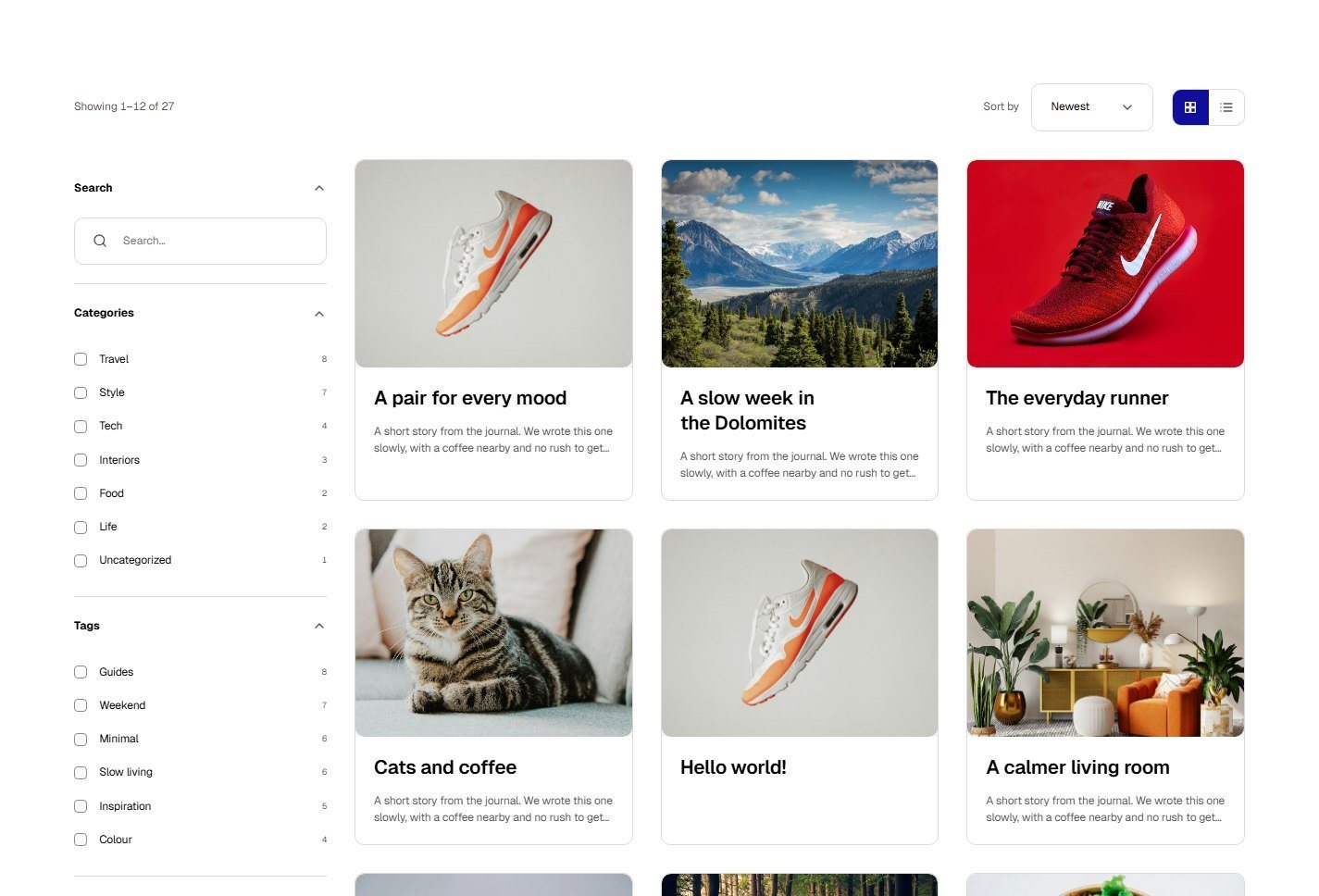
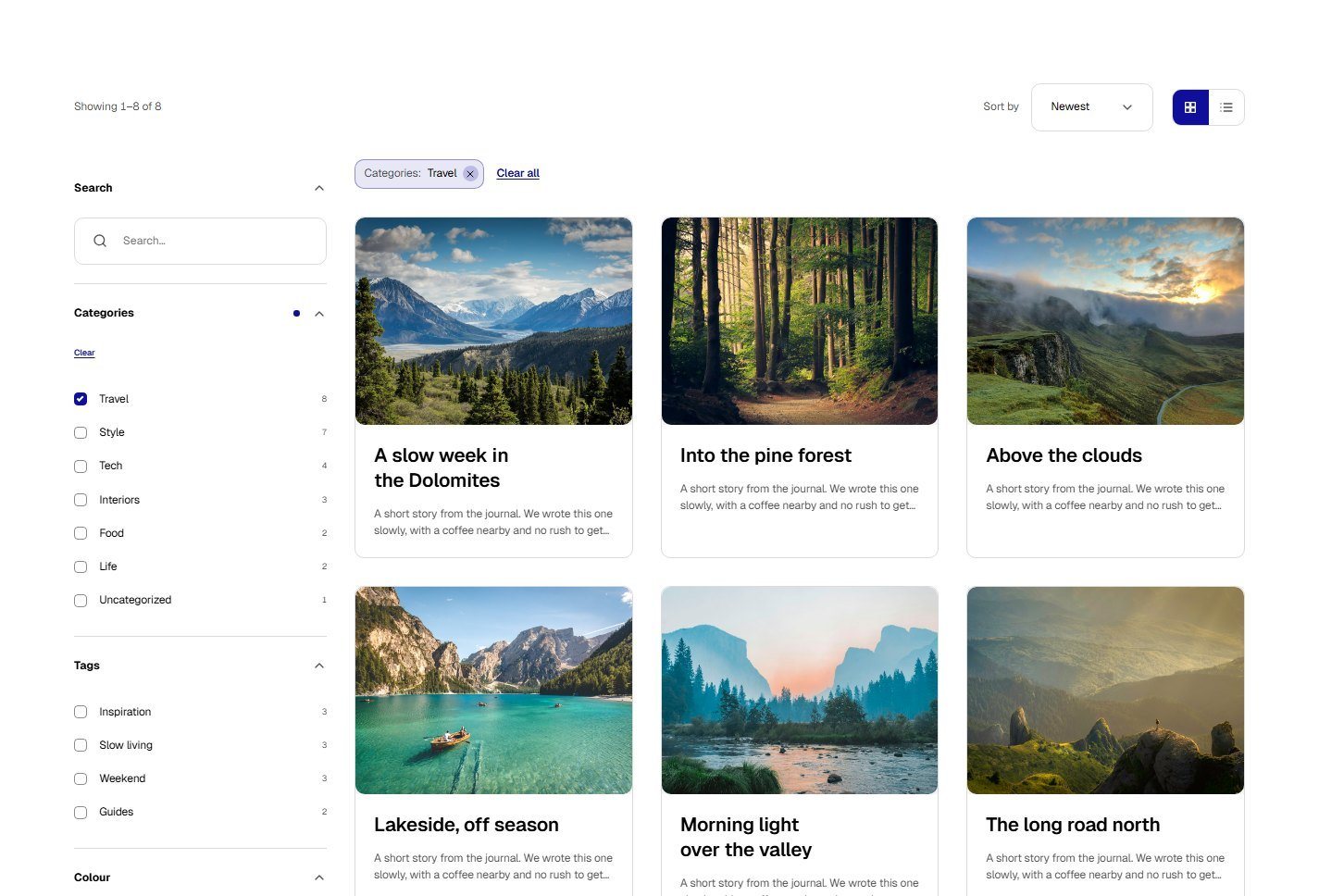
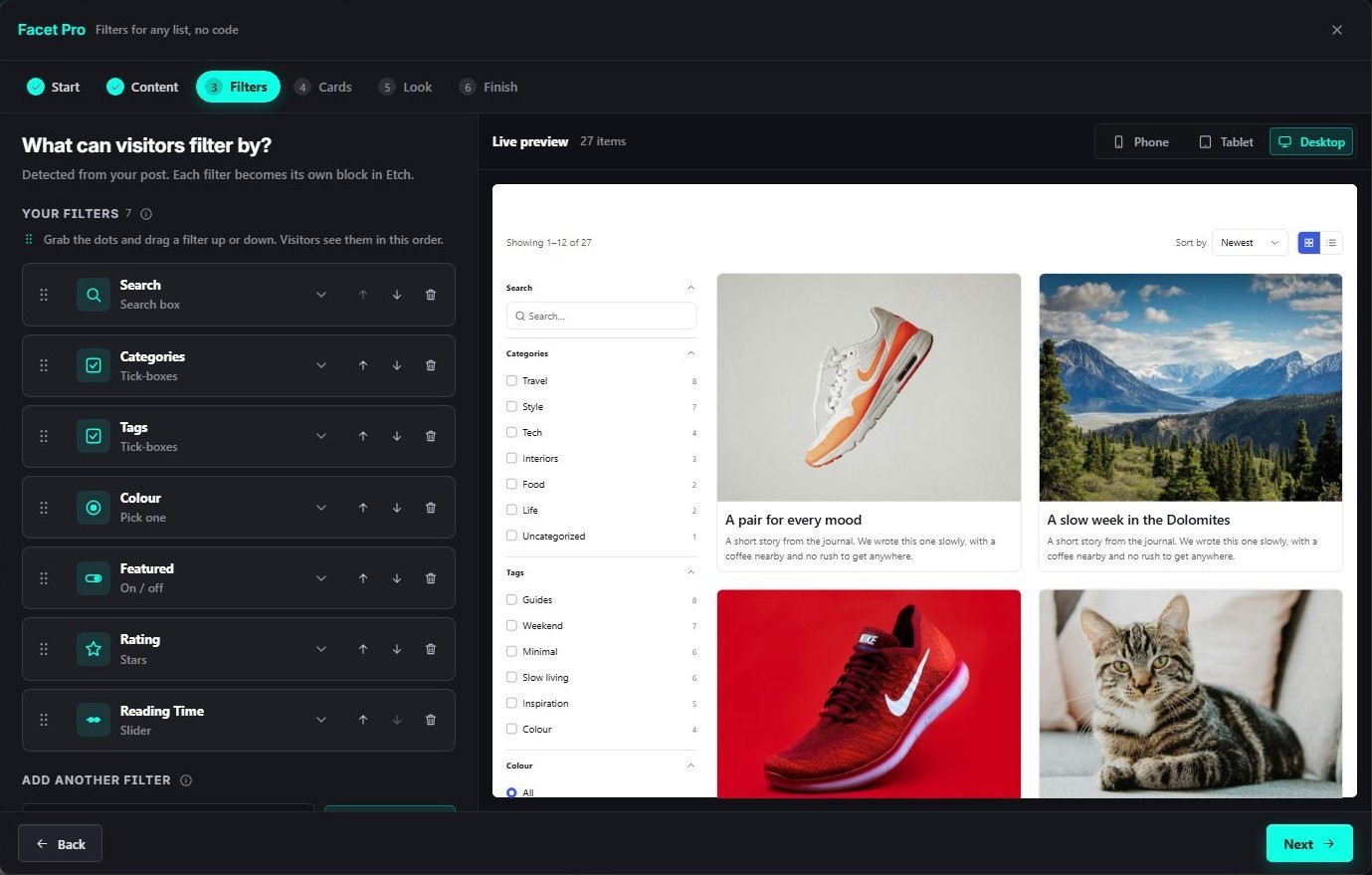
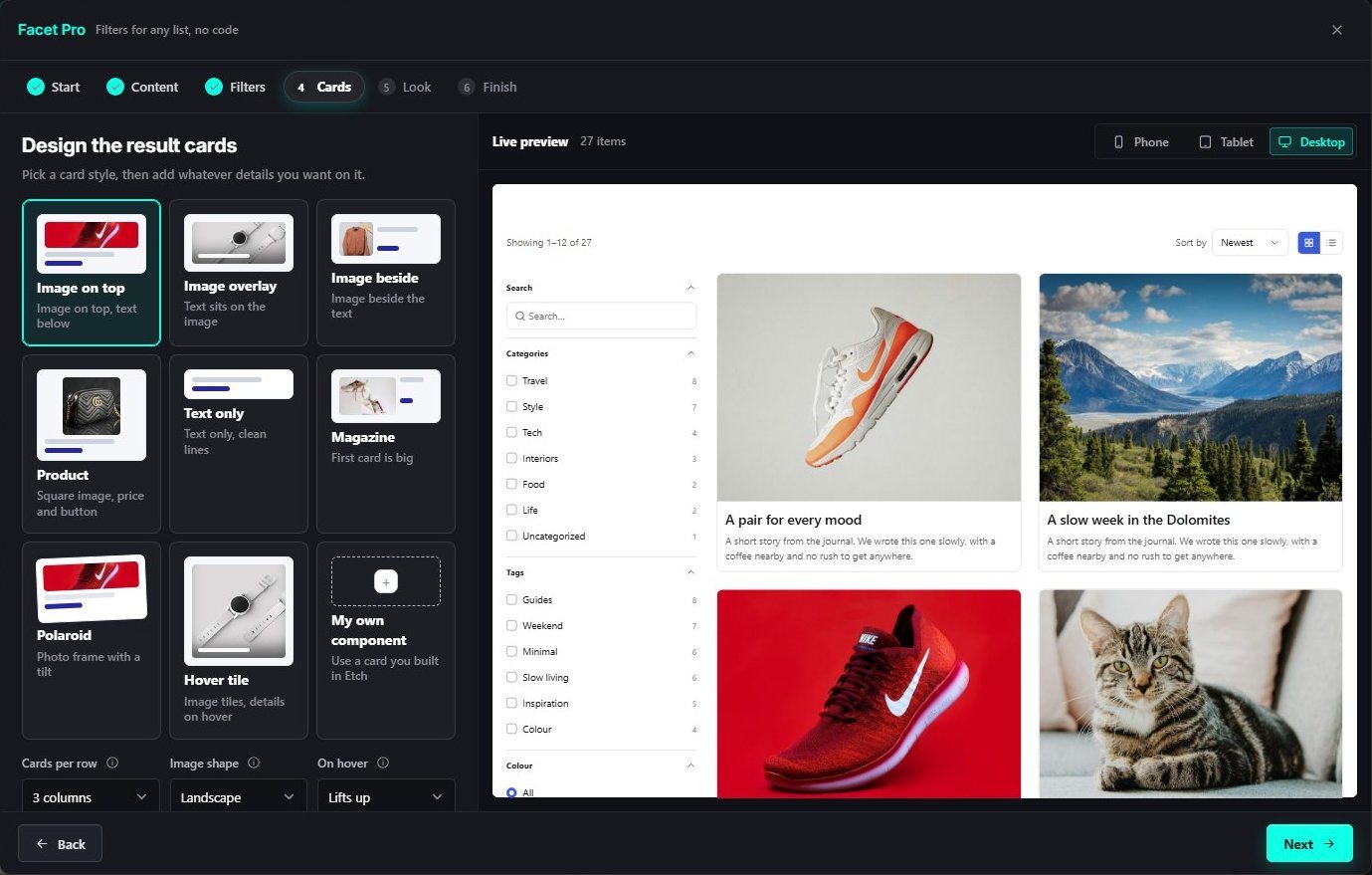
No add-on to buy. Every Pro plan includes Facet Pro, Animations and the full library, on 5, 50 or unlimited sites. Or pay once and keep it for life.
How it works
Posts, pages, products or your own content type. Etchedy suggests filters from what it finds.
Search, tick-boxes, pills, sliders, ratings and more, eight card styles and one-click looks, all with a live preview.
One click copies it. Paste it on the canvas, save the page, and it is live.
Before and after
What changes the day you switch it on.
Without Etchedy: A filter plugin with its own styles to fight
With Etchedy: Components that follow your ACSS tokens
Without Etchedy: Shortcodes you cannot open in Etch
With Etchedy: Real Etch blocks you can edit
Without Etchedy: A page reload on every click
With Etchedy: Results update in place
Without Etchedy: Filtered views nobody can link to
With Etchedy: Every filtered page has its own address
At a glance
Who it's for
Give a blog or portfolio real search and filters without a second plugin.
Shops, directories and resource hubs, built the same way on every client site.
Add filters to a growing content library in an afternoon.