


 Compare Features LandingLanding page, 1 page
 Flowline SaaS LandingLanding page, 1 page
 Prismo Creative AgencyCreative, 1 page
 Velour Car DetailingLanding page, 1 page
Websites: what you get
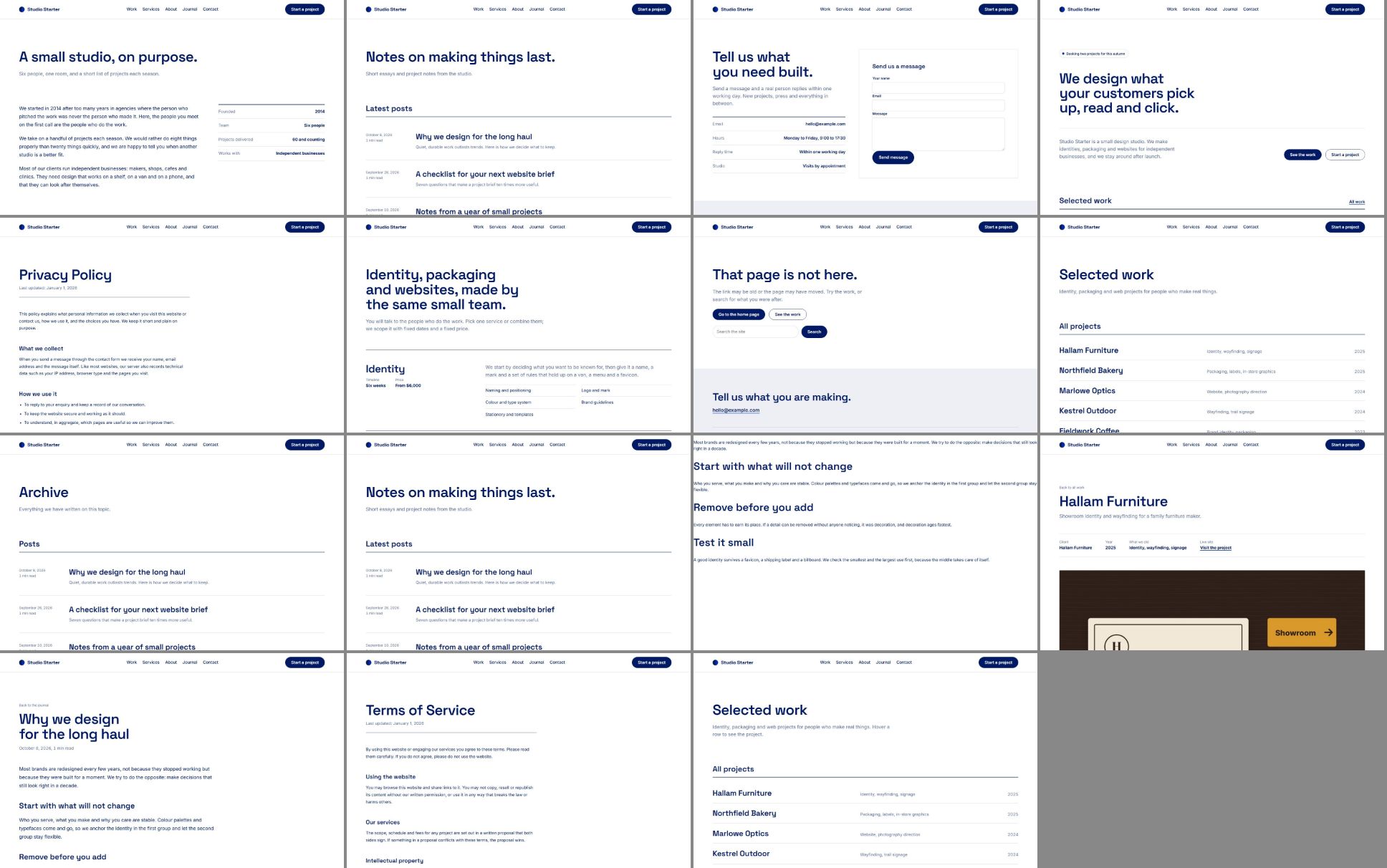
A website in Etchedy is a complete site, built from scratch for Etch and Automatic.css. It is not a stack of library sections: every page, template and setting was designed together, so the site works the moment it lands. Import one, put in your name, logo and content, and you have a real site to hand over.
What is inside a website
- Pages. Home, services, about, contact, legal pages and whatever else the site needs, each made of editable Etch sections.
- Dynamic pages. The templates WordPress uses on its own: single post, blog archive, 404, and the single and archive pages of the site’s own post types.
- Content types and fields. Custom post types, taxonomies and custom fields (for example projects with a client and a year), plus demo entries so the pages are full from the start.
- Forms. Working forms, such as the contact form, created in the form plugin you choose.
- Design. Etch styles, loops, queries, conditions and components, with a brand kit for Automatic.css.
Websites, templates and layouts
A layout is one section and a template is one page. A website is the whole thing: several pages, the dynamic pages, the data behind them and the design system they share. Use a website when you start a new site; use layouts and templates to add to a site you already have.
What you need
- Etch and Automatic.css, both active.
- Etchedy Pro. Free sites can browse and preview every website.
- A new or staging site is best. An import adds pages and settings, and can replace pages with the same address.
New websites every week
We ship new ready-made websites every week. Missing the one you need? Tell us with Suggest a site.
How it works
- Find a websiteBrowse the Sites view and preview every page. See Find and preview a website.
- Import it in eight stepsChecks, tools, brand, content, data, design, review and import. See Steps 1 and 2, steps 3 and 4, steps 5 and 6 and steps 7 and 8.
- Make it yours, or undoEverything is normal Etch content. Changed your mind? Undo the import.
Was this helpful?