


 Compare Features LandingLanding page, 1 page
 Flowline SaaS LandingLanding page, 1 page
 Prismo Creative AgencyCreative, 1 page
 Velour Car DetailingLanding page, 1 page
Patterns and your ACSS tokens
Etchedy patterns are styled with the design tokens from Automatic.css (ACSS): colors, text sizes, spacing, radius and content width. That is why a pattern looks like it belongs to your site the moment you paste it.
One change, every pattern
Patterns do not hard-code a color or a font size. They ask your ACSS settings for it. Change your primary color or your spacing scale once in ACSS and every pattern you have pasted follows. There is nothing to override in each section.
It still works without ACSS
Each token has a built-in fallback value, so a pattern looks good even on a site where ACSS is not installed or is switched off. If you later install ACSS, the patterns start following your tokens without any changes to the page.
Check that ACSS is detected
Go to Etchedy → System status. The Automatic.css row shows Active and its version when ACSS is running.
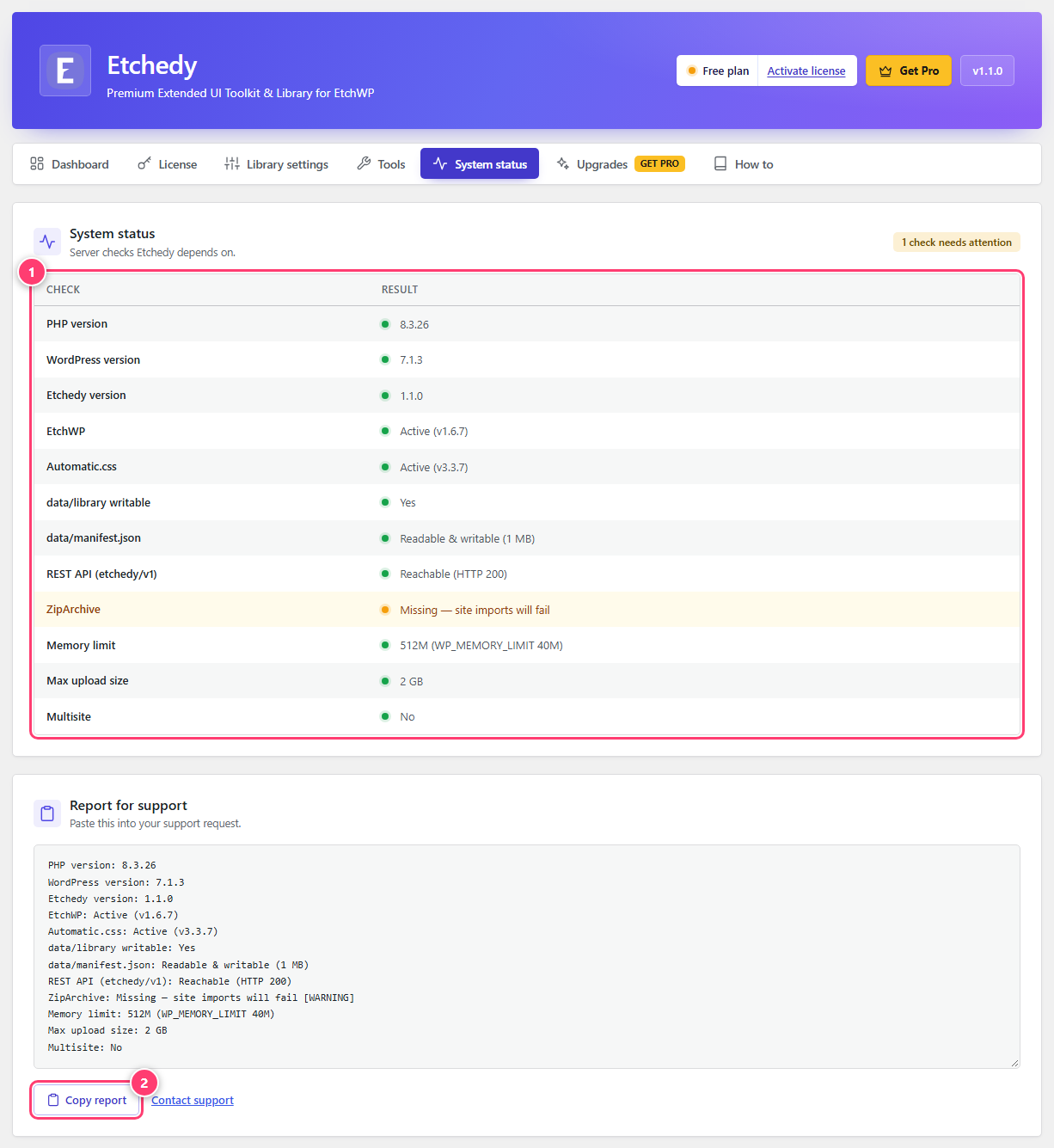
- The checks Etchedy runs on your server.
- Copy your system report to send to support.
Set your colors, fonts and spacing in ACSS first, then start pasting patterns. Everything you add afterwards already matches.