


 Compare Features LandingLanding page, 1 page
 Flowline SaaS LandingLanding page, 1 page
 Prismo Creative AgencyCreative, 1 page
 Velour Car DetailingLanding page, 1 page
System status and troubleshooting
When something does not work, start with Etchedy → System status.
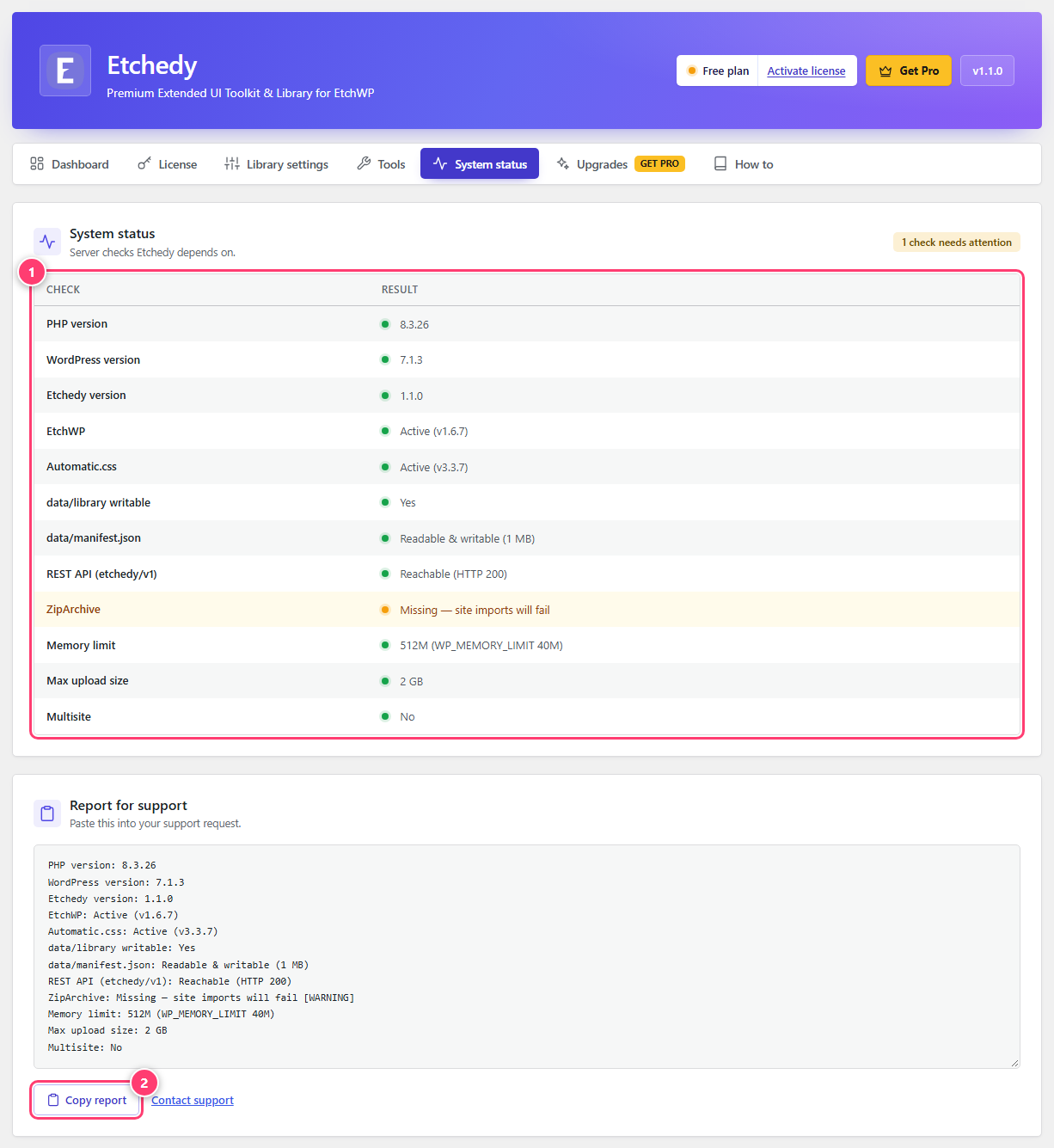
- The list of checks. A green dot is fine, an orange one needs attention.
- Copy report: a plain-text summary to paste into a support message.
What it checks
- PHP and WordPress versions. Etchedy needs PHP 8.1 and WordPress 5.9 or newer.
- EtchWP and Automatic.css. Whether each is active and which version.
- Library files. That the library folder and its manifest are readable and writable.
- REST API. That Etchedy’s own endpoint answers, which the panel needs.
- ZipArchive. Needed for site imports. If it says Missing, ask your host to enable the PHP zip extension.
- Memory limit, upload size and multisite.
An orange row names the problem in plain words. Fix that first.
Quick fixes
- I do not see the Etchedy button in the builder. Check that EtchWP is active under System status, then reload the builder.
- A section such as Brands or Sites is missing. It starts hidden. Switch it on under Library settings, Library sections.
- Where are Import and Save to Etchedy? Turn them on in Library settings. They show for administrators only.
- Pasting does nothing. Click inside the builder canvas or the Layers panel first, then press Ctrl+V.
- Sliders do not move on the live site. Keep Swiper on under Front-end libraries, or load it in your theme.
Still stuck?
Copy your system report from the System status tab and send it to support with a short description. It tells us your versions and settings without any guessing.
Was this helpful?