


 Compare Features LandingLanding page, 1 page
 Flowline SaaS LandingLanding page, 1 page
 Prismo Creative AgencyCreative, 1 page
 Velour Car DetailingLanding page, 1 page
Activate your license
The free plan needs no key. A license key unlocks the whole library and automatic updates. You enter it once per site.
Enter your key
- Open the License tabGo to Etchedy → License.
- Paste your keyKeys start with ETCH-. Find yours in your purchase email or in your account. The Find my key link under the form takes you there, and Lost your key? helps if you cannot find it.
- Click ActivateThe page reloads and the badge in the banner changes from Free plan to your plan name.
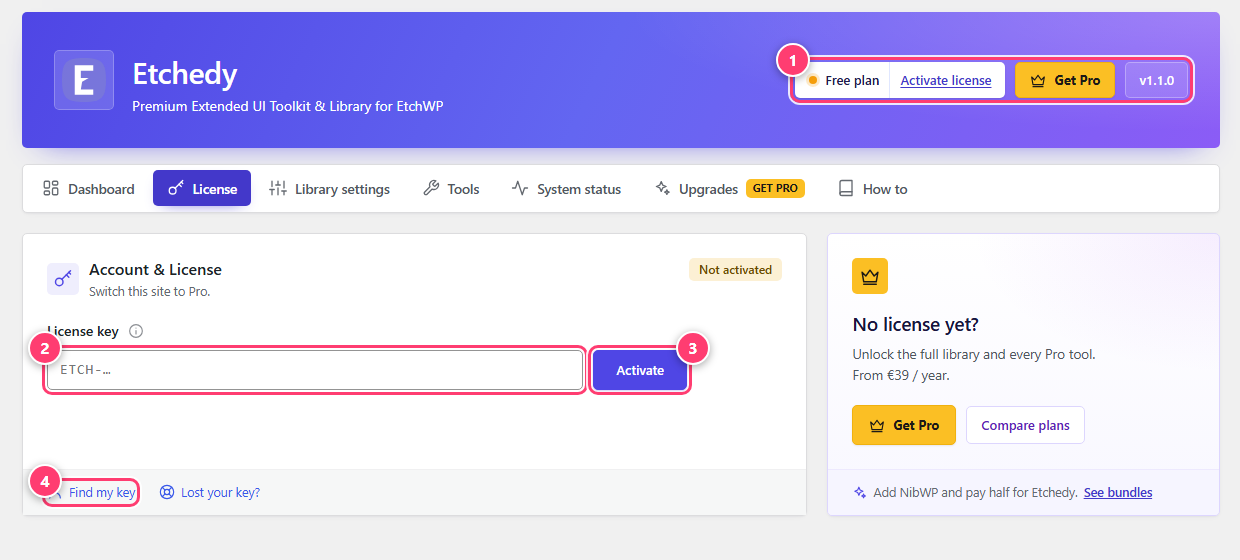
- The banner shows you are on the Free plan.
- The license key field.
- The Activate button.
- Find my key: opens your account so you can copy the key.
After activation
The License tab now shows your plan and everything about this activation: how many sites are in use out of your limit, when the plan renews or expires, a masked copy of your key, when it was last verified and the account email.
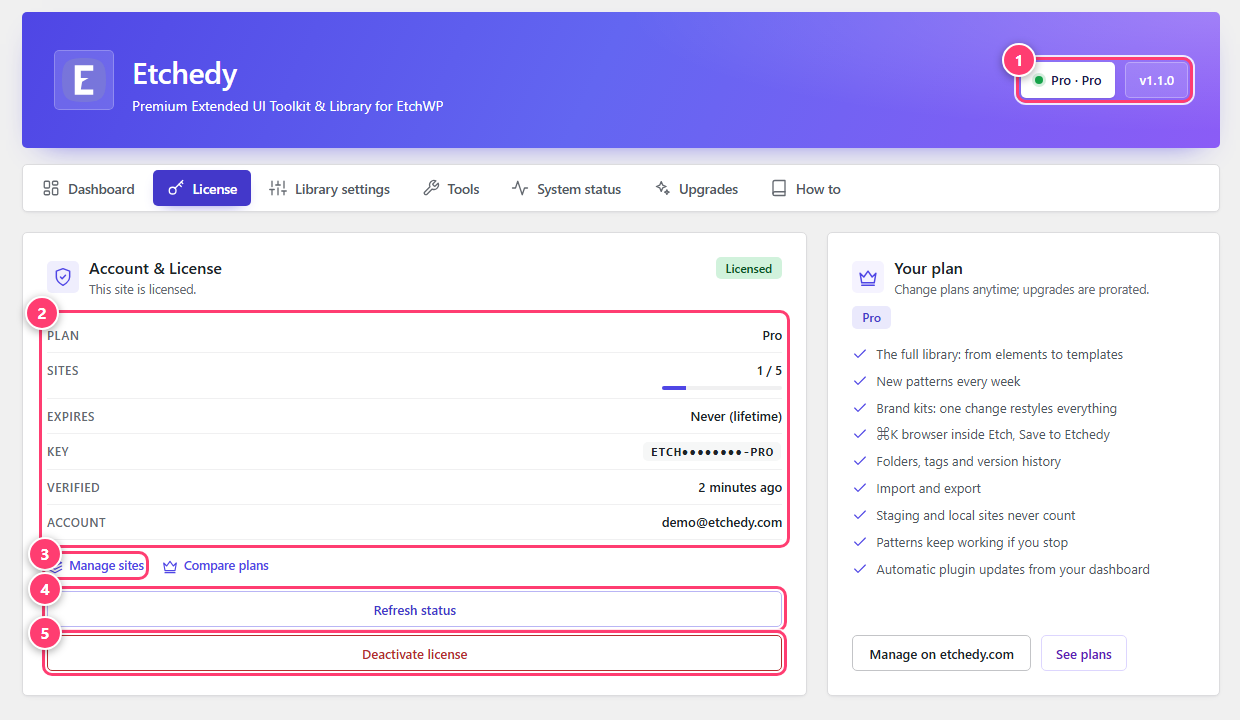
- The banner shows your plan.
- Plan, sites used out of the limit, expiry, masked key, last check and account email.
- Manage sites: opens your account to see and free site activations.
- Refresh status: asks etchedy.com to confirm the license again.
- Deactivate license: releases this site.
The example above uses a sandbox key, so your plan name and numbers will differ.
Good to know
- Staging and local sites do not count toward your site limit.
- Moving a site? Click Deactivate license on the old site first. That frees the slot, and you can activate on the new one.
- If a license expires, the Pro patterns you already pasted into pages keep working. Locked patterns simply stop being available to insert, and updates stop.
- Nothing happens when you click Activate? The site needs to reach etchedy.com. Check System status, and see system status and troubleshooting.
Was this helpful?